

A monitor riser should make your desk feel more composed, not introduce a new point of failure. In this monitor riser durability review, the details that matter are not limited to a stated weight capacity. Real longevity comes from stable materials, thoughtful construction, reliable joints, and a design that stays level through years of daily work.
A premium desk setup is built around consistency. Your screen should not wobble when you type, your riser should not bow under load, and its finish should still look considered after countless coffee cups, cable adjustments, and late nights at the desk.
What Monitor Riser Durability Really Means
Durability is the ability to perform as intended over time. For a monitor riser, that means carrying the weight of your display without flexing, remaining stable on the desktop, resisting surface wear, and preserving its shape in changing room conditions.
A riser can feel solid when it first arrives yet reveal weaknesses months later. Thin panels may begin to sag. Low-quality coatings can chip around the edges. Inconsistent feet can create a faint but distracting rock on an otherwise level desk. These are small failures individually, but together they undermine the calm, focused experience a well-designed workspace should create.
The strongest options pair substantial material thickness with construction that distributes weight across the full structure. Rather than concentrating pressure at a few narrow contact points, a well-made riser supports the monitor with a broad, stable platform and properly reinforced sides or legs.
Start With the Material
Material is the clearest early signal of how a monitor riser will age. It also determines much of the visual character of your setup, so performance and aesthetics should be considered together.
Steel and Aluminum
Metal risers are an excellent choice for heavier displays, dual-monitor configurations, and users who prefer a precise, architectural look. Steel offers exceptional rigidity when it is adequately thick and properly formed. Aluminum is lighter and naturally resistant to corrosion, though its overall strength depends heavily on the profile, thickness, and engineering of the piece.
Look beyond a generic claim of “metal construction.” Folded sheet metal can be dependable when its bends are clean and reinforced, while very thin metal can still flex under a large ultrawide display. A quality powder-coated finish is also worth prioritizing. It resists scuffs better than many painted surfaces and maintains a refined appearance with routine use.
Solid Wood and Engineered Wood
Wood adds warmth to a desk, especially in spaces that balance technology with more residential design. Solid wood can last for years when it is properly sealed and built with stable joinery. It is also naturally substantial, which helps resist movement during typing and screen adjustments.
Engineered wood can be a sensible option, but quality varies dramatically. A dense core with durable edge banding and a protective laminate can perform well for standard monitor setups. Thin particleboard with exposed or weakly sealed edges is less convincing. It is more vulnerable to moisture, corner damage, and long-term sagging.
If you choose a wood riser, inspect the underside as closely as the top surface. The support structure, panel thickness, and finish around cut edges often tell you more about its expected lifespan than the color or grain pattern.
Acrylic and Glass
Clear acrylic and tempered glass create a lighter visual footprint, which can be appealing on compact desks. They are best suited to users who prioritize a minimal look and use a monitor within the riser’s stated capacity.
Acrylic can scratch more easily than metal or finished wood, and lower-quality pieces may develop stress marks around drilled holes or highly loaded areas. Tempered glass resists many everyday scratches, but its edges and mounting points deserve attention. Both materials benefit from careful cleaning and a stable, even desktop surface.
The Stability Test Matters More Than a Spec Sheet
Weight capacity is useful, but it is only one part of a monitor riser durability review. A 30-pound capacity does not automatically mean a riser will feel secure with a 30-pound monitor. The size of the platform, the monitor’s stand footprint, and the location of the load all affect real-world stability.
A wide display positioned near the front edge creates more leverage than a compact monitor placed at the center. If you use an ultrawide monitor, an all-in-one computer, studio speakers, or a monitor arm base on top of the riser, leave meaningful room below the stated maximum capacity. This is not about being overly cautious. It gives the structure a margin for daily movement and prevents gradual stress on joints and panels.
A durable riser should stay planted when you press a keyboard, adjust your monitor, or reach for an item stored beneath it. Non-slip feet are essential here. They protect the desk surface and prevent the riser from drifting, particularly on smooth laminate, glass, or finished wood desktops.
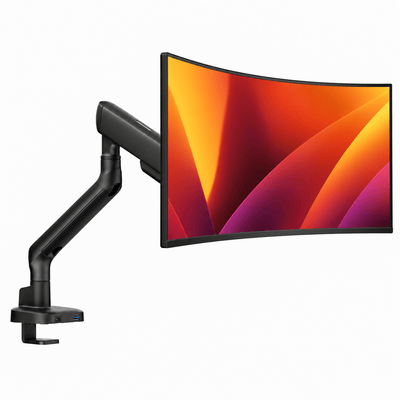
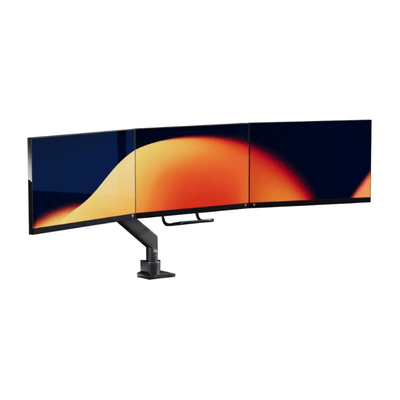
Nos bras de moniteur

Check the Construction, Not Just the Finish
Clean styling can hide weak construction. Before choosing a riser, consider how its parts are joined and where load is transferred.
Welded metal frames generally offer excellent long-term rigidity when the welds are clean and evenly finished. Bolted designs can also be highly durable, provided the hardware is substantial, the connection points are reinforced, and the fasteners can be tightened if needed. A poorly designed flat-pack riser may loosen over time, especially when it is frequently moved or carries a heavier screen.
For wood models, look for legs or side panels that create a stable support path from the top surface to the desk. Small, shallow attachments can eventually loosen under repeated load. Better construction uses sturdy joinery, well-placed fasteners, or integrated supports that reduce flex across the center of the platform.
The underside should feel as intentional as the top. Smooth edges, recessed hardware, and properly fitted feet indicate a product designed to live on a desk for the long haul, not simply photograph well on day one.
Design Choices That Protect the Riser and Your Desk
Durability is partly about avoiding preventable wear. A riser with rounded edges is less likely to chip, snag cables, or mark the desk while being repositioned. A slightly textured top surface can reduce sliding, while a flat, easy-to-clean surface helps prevent residue from becoming permanent discoloration.
Ventilation also matters for certain setups. If a riser supports a laptop dock, console, or other heat-producing equipment alongside the monitor, avoid designs that trap heat beneath a solid platform. Open sides or a raised structure allow more airflow and make cable routing easier to manage.
Storage space beneath the riser is useful, but it should not compromise strength. An open shelf is ideal for a keyboard, notebook, or compact accessories. Avoid overloading that space with dense equipment if the riser is not designed for it. Organization works best when it supports the structure rather than asking it to do too much.
How to Make a Monitor Riser Last Longer
Even premium materials benefit from basic care. Keep the riser on a level surface and make sure all feet contact the desk evenly. Wipe dust and spills promptly with a soft cloth, using cleaners appropriate for the material and finish. Avoid dragging the riser when it is loaded, since that puts unnecessary force on the feet, joints, and desktop.
Recheck the riser after changing monitors or adding equipment. A setup that was perfectly balanced with a 24-inch display may need reassessment after upgrading to a larger screen or adding speakers. If your monitor stand has a wide base, confirm that it sits fully within the riser’s top surface rather than hanging over an edge.
At Alberenz, the standard for a workspace upgrade is simple: it should look elevated and work hard every day. A well-built monitor riser earns its place by creating stable screen height, cleaner sightlines, and a desk that feels deliberately put together.
Choose the riser you will still trust when your setup evolves. The right one will not call attention to itself with wobble, wear, or clutter. It will quietly hold the line, leaving you free to focus on the work in front of you.



