

A monitor arm can have a premium finish, smooth motion, and a generous weight rating, then still disappoint if its connection to the desk is an afterthought. This clamp mount stability review focuses on the point that determines how composed your screen feels every day: the base. When the clamp is matched to the desk and installed with care, the entire setup feels quieter, cleaner, and more precise.
For anyone building a focused workspace, stability is not just about preventing a monitor from falling. It is about reducing the small movements that pull attention away from work: a screen that shivers while you type, a post that shifts during adjustment, or a desk edge that visibly flexes under load. A stable mount makes the screen feel intentionally placed, even when you reposition it throughout the day.
What Clamp Mount Stability Really Means
A stable clamp mount does three things well. It holds the base securely against the desktop, spreads force without damaging the surface, and gives the monitor arm a firm foundation for its full range of motion. The first point is obvious. The second and third are where many desk setups become less convincing.
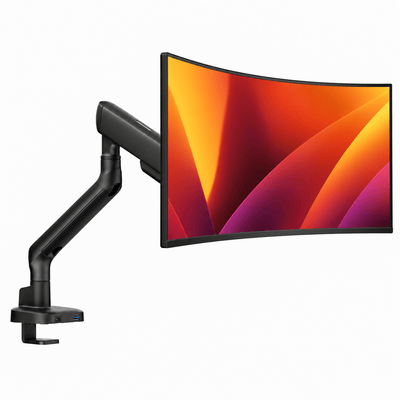
A clamp applies pressure from above and below the desk edge. The upper plate anchors the mount body while the lower plate tightens upward through a screw mechanism. As the two surfaces compress the desktop, friction prevents the base from sliding or rotating.
That sounds simple, but the monitor arm changes the equation. Every time a screen is pushed forward, raised, or turned sideways, it creates leverage at the base. The farther the monitor sits from the post, the more force the clamp and desktop must resist. A mount may remain perfectly safe while still allowing a little movement, especially with a thin desktop or a long, heavy display.
The Desk Is Half the System
The best clamp cannot compensate for an unsuitable desk. Before judging the mount, inspect the surface it is being asked to grip.
A dense, solid desktop usually offers the most confidence. Hardwood, quality plywood, and substantial laminate tops tend to resist compression and flexing well. A desk with a metal support rail beneath the rear edge can also be an excellent foundation, provided the clamp has enough clear space to attach properly.
Lightweight particleboard, hollow-core construction, glass tops, and desktops with heavily rounded edges require more caution. These surfaces can compress under a small contact plate, bend when the arm extends, or provide too little flat area for the clamp to sit squarely. The issue is not always immediate failure. More often, it is gradual movement, a visible dent, or a setup that never feels fully settled.
Thickness matters too. A clamp must fit within the manufacturer’s stated range, but maximum compatibility is not the same as ideal compatibility. A very thin desk can flex. An unusually thick desk may leave too little thread engagement or prevent the lower pad from sitting flat. Measure the desktop before buying, including any under-desk lip, cable tray, or structural brace near the back edge.
A flat clamping zone matters
The rear edge of a desk often looks clear from above while hiding obstacles underneath. Modesty panels, drawers, cable-management channels, and steel frames can interfere with the lower clamp plate. If the plate contacts only part of the desk or sits against an angled surface, tightening it harder will not create true stability.
The ideal location has a flat upper surface, a flat underside, and enough clearance for the clamp to close evenly. This simple check eliminates many installation problems before they start.
Clamp Design and Load Capacity
Not all clamp mounts distribute pressure in the same way. A wider top plate and a substantial lower pad generally create a more planted connection because they spread clamping force over a larger area. Quality protective pads also help preserve the desktop finish while improving grip.
The tightening mechanism should feel controlled rather than vague. A solid screw assembly lets you apply meaningful pressure without abrupt slipping or excessive effort. If the handle flexes, the threads bind, or the base shifts while tightening, it becomes difficult to judge whether the mount is genuinely secure.
Weight capacity deserves a closer look than a single number. Start with the monitor’s actual weight without its factory stand, then add any accessories attached to the arm, such as a webcam, light bar, or laptop tray. Stay comfortably below the stated limit when possible. A mount operating near its maximum can still be safe, but it will place greater demand on the arm joints, post, clamp, and desk.
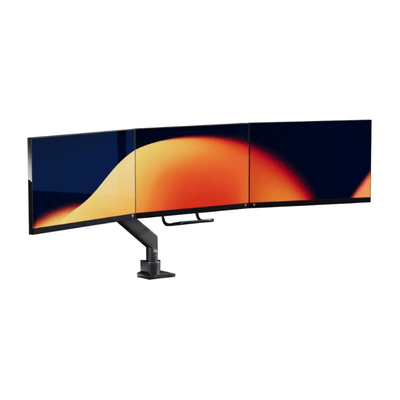
Display size also changes the feel of the setup. A wide ultrawide monitor may be within the weight rating yet create more leverage than a compact display. The key question is not simply, “Can the clamp hold this monitor?” It is, “How stable will this setup feel when the screen is extended, centered, and adjusted?”
Monitortartóink

How to Test a Clamp Mount After Installation
Once the mount is installed, test it before adding cables and committing to the final layout. Start with the monitor centered over the post or close to it. Gently press the top corners of the display and watch the base, desktop, and arm separately. A small amount of motion at the screen is normal. Noticeable movement at the clamp base is a signal to recheck the installation.
Next, move the monitor through the positions you will actually use. Bring it closer for focused work, raise it for standing, rotate it if you use portrait orientation, and return it to center. The base should remain in place. The desk may show slight natural flex, particularly on larger tops, but it should not feel springy or strained.
Typing is the most practical real-world test. Work normally for a few minutes with the monitor in your preferred position. If the screen bounces with every keystroke, the issue may be the desk, the arm tension, or the clamp connection. Do not assume it is an unavoidable part of using a monitor arm.
Finally, inspect the mounting area after the first day and again after a week. Materials can settle slightly, especially on softer desktop finishes. A brief check lets you catch a clamp that needs a modest retightening before movement becomes part of the daily experience.
Common Stability Problems and the Better Fix
Overtightening is a common response to wobble, but it is not always the answer. On a weak desktop, excessive force can crush the surface without making the setup meaningfully steadier. If the desk flexes, use a purpose-built reinforcement plate or choose a mounting method that distributes load more effectively. The goal is a secure foundation, not maximum pressure.
Another frequent issue is an extended arm positioned permanently at the far edge of its reach. That layout can look dramatic, but it asks more from the entire system. Bringing the display slightly closer to the post often reduces perceived movement while preserving an ergonomic viewing distance.
Cable tension is easy to miss. A tightly routed power cable or display cable can pull against the arm when it moves, creating a subtle return force that makes the monitor drift or bounce. Leave enough slack for the full range of motion and secure cables so they guide movement rather than resist it.
If a desk edge is too thick, too fragile, or structurally blocked, a grommet mount may be the better choice. By fastening through a desk opening, it can create a more direct and highly stable connection. It does require a suitable hole and a willingness to dedicate that spot to the mount, so it is not automatically better for every workspace. Clamp mounting remains the more flexible option for many desks, particularly when the desktop is solid and the rear edge is clear.
Stability Is a Daily Quality Test
A well-designed desk setup should disappear into your routine. The monitor stays where you place it. Adjustments feel deliberate. The desktop remains clean because the screen is elevated and the arm handles the heavy lifting without drama.
That is why a clamp mount deserves more attention than its compact size suggests. It is the anchor for screen height, posture, usable desk space, and the visual calm of the whole setup. Premium hardware such as Alberenz monitor mounts is most rewarding when paired with a desk that can support its performance and an installation that respects the details.
Choose the mount for your actual monitor, your actual desk, and the way you work at it. When the base is secure, every adjustment above it feels better.



