

A beautiful desk can still work against you if the screen is too low, too far away, or fixed in the wrong place. The most meaningful monitor mounting trends 2026 are not about adding more hardware to a desk. They are about creating a setup that moves with the person using it: focused during deep work, flexible during collaboration, and refined from every angle.
For professionals, creators, and serious home-office builders, the monitor mount has become a central piece of the workspace rather than an afterthought. It defines how much usable desk space remains, how naturally you hold your posture, and whether the setup looks considered or cluttered.
Monitor Mounting Trends 2026 Are Built Around Control
The old standard was simple: lift the monitor off the desk. In 2026, elevation alone is not enough. People expect controlled adjustment that feels smooth, stable, and intentional. A premium monitor arm should make it easy to bring a display to eye level, set a comfortable viewing distance, and shift the screen when the task changes.
That demand reflects how desks are used now. One surface may support spreadsheets in the morning, a video call after lunch, creative work in the afternoon, and personal projects at night. A fixed monitor position can be adequate for one task, but it rarely serves all of them well. Articulating arms, height-adjustable columns, and full-motion VESA mounts give users the range to build around their actual routines.
The trade-off is clear. More range of motion asks more of the hardware. Lightweight arms can look clean at first but may sag, drift, or feel unstable when paired with larger displays. The better choice is a mount engineered for the true weight and size of the monitor, with tension adjustment that keeps the screen exactly where it belongs.
Heavier Screens Are Raising the Standard
Monitors are getting larger, wider, and more capable. High-resolution 32-inch displays, curved ultrawides, and premium gaming monitors have become normal choices for people who spend long hours at a desk. Those displays need mounting hardware with real load capacity, not a vague promise of universal compatibility.
This is why heavy-duty construction is a defining direction for 2026. Buyers are paying closer attention to supported weight, VESA pattern, desk thickness, and the quality of the clamp or grommet connection. The mount must carry the screen confidently through its full range of movement, not only when it is centered and untouched.
A larger monitor does not automatically require the largest arm available. What matters is the combined fit: screen weight without its stand, monitor depth, desired extension, and whether the desk itself can support a clamp mount. A solid wood or metal-frame desk may offer broad flexibility. A hollow-core or glass desktop calls for greater caution and, in some cases, a reinforcement plate or a different mounting approach.
Clean Desks Are Becoming a Performance Feature
Minimalism has moved beyond aesthetics. A clear desktop creates usable room for notes, drawing tablets, cameras, charging stations, and the simple ability to think without visual noise. Mounting a monitor frees the footprint beneath the display, but the best setups go further by treating cables as part of the design.
Integrated cable channels are increasingly expected, especially in workspaces where the desk is visible on camera or positioned in a shared living area. The goal is not to make every wire disappear completely. It is to give power, display, and peripheral cables a deliberate route from the monitor to the desk, without loops hanging below the screen or a tangled cluster behind it.
Color and finish matter here, too. Matte black remains a confident choice for darker, technical setups. White hardware continues to pair well with bright, architectural spaces. Neutral metallic finishes can make a workspace feel more like considered furniture than office equipment. The right mount should support the visual language of the desk rather than interrupt it.
Dual Screens Are More Personal Than Ever
The classic side-by-side dual-monitor setup is still productive, particularly for finance, development, design, operations, and content work. But the way people configure two screens is becoming more individualized. Some prefer a centered primary display with a secondary screen angled inward. Others place one monitor vertically for documents, coding, chat, or reading. Hybrid laptop-and-monitor arrangements are also gaining ground among people who shift between home, office, and travel.
A double monitor mount makes these layouts possible without consuming the desk. It also creates a more consistent sightline. Rather than placing one display on a stand and another on a stack of books or a riser, both screens can sit at a coordinated height and depth.
The key is not forcing symmetry when the work does not need it. A vertical secondary screen can be more useful than a perfectly matched horizontal pair if you read long documents or work in a code editor. Two matching monitors can look striking, but a mixed setup may be the smarter investment when one display is dedicated to color-sensitive work or high-refresh gaming.
Laptop Mounts Complete the Hybrid Desk
Laptop mounts are becoming a natural part of the monitor-mounting conversation because many professionals work across both a notebook and an external display. Raising the laptop opens desk space and can bring its screen into a more comfortable position for reference material, messaging, or video calls.
For an ergonomic setup, the laptop should not become an afterthought placed low and off to one side. A dedicated laptop tray or laptop-monitor mount can align it with the external display while preserving access to the keyboard and trackpad when needed. If the laptop is closed in clamshell mode, confirm that airflow, docking connections, and power settings support that workflow before committing to the layout.
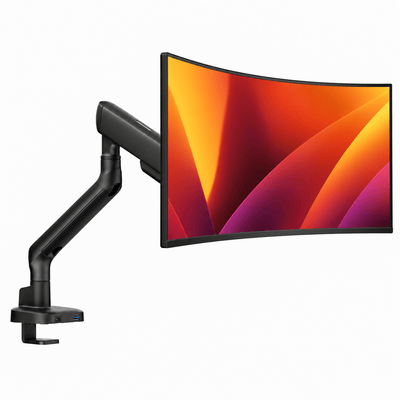
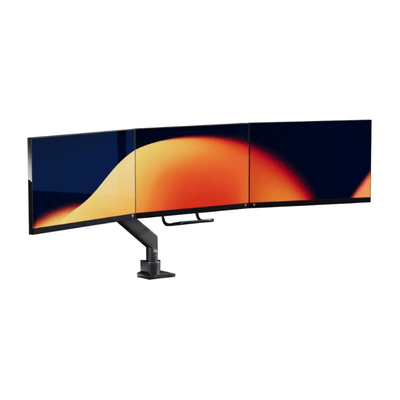
Our monitor mounts

Ergonomics Is Looking More Natural, Less Clinical
The strongest ergonomic setups do not announce themselves. They simply make long work sessions feel less demanding. In practical terms, that usually means the top third of the primary screen is near eye level, the monitor is positioned at a comfortable viewing distance, and the display is tilted to reduce glare without forcing the neck forward.
These are guidelines, not rigid rules. Taller users, progressive lenses, bifocals, and very large screens can change the ideal position. The advantage of a quality monitor arm is the ability to make small corrections until the screen feels right, then repeat that position day after day.
Movement is also part of the trend. A mount that lets you pull the screen closer for detailed work, then push it back to clear the desk, encourages a more adaptable workstation. For shared desks, hot desks, and households with multiple users, easy adjustment is a practical necessity rather than a luxury.
What to Look for Before You Mount
A polished setup starts with compatibility, not appearance. Check your monitor's VESA mounting pattern, weight without the factory stand, and the clearance needed for an arm to move behind the desk. Then inspect the desk material and edge shape. A deep rear support beam, a raised lip, or a cable tray may affect where a clamp can sit.
Think about the setup you want six months from now. If you expect to add a second monitor, a modular dual-monitor solution may be more sensible than replacing a single arm later. If your desk is in a compact room, choose an arm with useful vertical adjustment and controlled extension rather than one designed to reach far into the room.
Build quality deserves attention because mounts are long-term hardware. Smooth joints, durable finishes, secure VESA plates, and dependable tension mechanisms make the difference between a desk upgrade and a recurring annoyance. Premium workspace pieces should earn their place through daily performance, not only a clean product photo.
The best desk setups in 2026 will feel calm, capable, and distinctly personal. Start with the screen position that lets you work comfortably, then choose mounting hardware that gives the entire workspace room to perform.



