

A monitor arm can make a desk feel twice as intentional, but only if the desktop beneath it is ready for the job. The best desks for monitor arms do more than provide a flat surface. They stay stable under movement, give the clamp a secure grip, and leave room to position screens exactly where your work demands.
That distinction matters when you are lifting a 27-inch display, swinging an ultrawide toward a client, or running a dual-screen setup for eight hours a day. A beautiful desk that flexes at the edge or blocks a clamp with a structural rail can turn a premium monitor mount into a daily frustration.
What Makes a Desk Monitor-Arm Ready?
The right desk is not defined by a single material or a single price point. It is defined by the relationship between its construction and the monitor arm you plan to use. Start with the mounting zone: the rear edge of the desktop where a C-clamp attaches, or the section where a grommet mount passes through the surface.
A usable clamp zone needs a flat, unobstructed underside. Many desks look ideal from above but hide metal support beams, drawers, cable trays, or beveled edges directly under the rear lip. If the clamp cannot sit flush, it cannot distribute force correctly. The result may be a loose mount, a tilted display, or damage to the desktop over time.
Desktop thickness is the next consideration. Most quality monitor arms accommodate a broad range, but very thin tops can compress or flex, while exceptionally thick tops may exceed the clamp opening. A desktop around 0.75 to 1.5 inches thick is often the practical sweet spot. Always compare your desk thickness with the mount's stated clamp range before buying.
Weight capacity deserves the same attention. Do not assess only the monitor arm's rating. Your desk must handle the combined load of monitors, mount hardware, speakers, accessories, and the pressure created when an arm extends away from its base. A solid desk spreads that load without wobbling or bowing.
Best Desks for Monitor Arms by Construction
Solid wood desks for a refined, lasting setup
A well-built solid wood desk is one of the strongest foundations for a monitor arm. Dense hardwoods provide excellent clamp support, resist localized pressure, and bring warmth to a focused workspace. For professionals and creatives building a desk setup they plan to keep for years, real wood can feel as premium as it performs.
There are trade-offs. Solid wood is heavier, typically more expensive, and may expand or contract slightly with seasonal humidity. Use protective clamp pads and avoid overtightening the mount. The goal is a secure connection, not a clamp mark that interrupts an otherwise flawless surface.
Hardwood veneer and plywood desks for strength with restraint
High-quality plywood and hardwood veneer desks are often the best value for design-conscious users. A layered plywood core offers dependable strength, while a veneer surface delivers a polished furniture-grade finish. These tops tend to be more stable than inexpensive particleboard and more accessible than a full solid-wood slab.
Look for a substantial core and a reinforced rear edge. Thin veneer over a weak composite center is not the same thing as furniture-grade plywood. If product details are vague about the core material, consider that a signal to investigate before mounting a heavy display.
Laminate desks for practical performance
A quality laminate desk can be an excellent choice for monitor arms, especially in a busy home office, studio, or gaming setup. The surface is easy to clean, resistant to everyday spills, and available in finishes that range from bright modern white to rich wood tones.
The deciding factor is what sits beneath the laminate. A thick, high-density core can support a monitor arm confidently. Low-density particleboard, particularly on a thin desktop, is less forgiving. It may compress under the clamp, chip at the edge, or gradually sag with a heavier arm. A clamp reinforcement plate can help distribute pressure, but it cannot turn a fragile desktop into a heavy-duty work surface.
Standing desks for flexibility without compromise
A standing desk paired with a monitor arm creates an exceptionally adaptable workstation. The desk changes your working height; the arm fine-tunes screen height, depth, and angle. Together, they allow the display to remain aligned with your eyes whether you are seated, standing, collaborating, or switching from deep work to a quick call.
Choose a standing desk with a stable frame, a sufficiently deep top, and a clear rear mounting area. Some standing desks place a crossbar close to the back edge, which can interfere with a clamp. Others include rear cable-management trays that limit clearance. A grommet mount may solve the issue, provided the desk has an appropriately placed opening and the hole does not compromise the structure.
Depth Is the Detail Most Buyers Miss
A desk may be wide enough for two monitors and still feel cramped if it lacks depth. For a single monitor, 24 inches can work. For larger displays, an ultrawide, or a dual-monitor configuration, 30 inches offers a more comfortable field of view and additional space for a keyboard, notebook, and laptop stand.
Monitor arms reclaim surface space, but they do not eliminate the need for viewing distance. When a screen sits too close, you may find yourself leaning back, turning your head more often, or lowering the display simply to create space. A deeper desktop gives the arm room to place the monitor where it belongs rather than where it barely fits.
For compact workspaces, a 24-inch-deep desk can still look and perform beautifully with a single monitor arm. Keep the setup disciplined: select an arm with smooth depth adjustment, route cables cleanly, and avoid filling the desktop with accessories that compete for the same limited space.
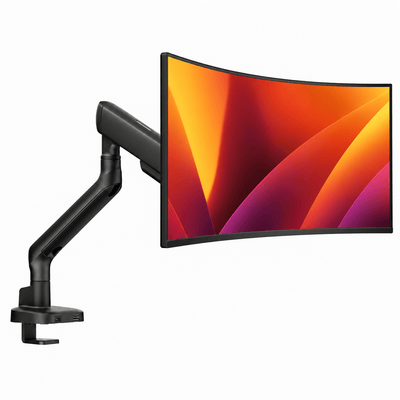
Our monitor mounts


Stability Changes the Entire Experience
Screen movement is one of the fastest ways to make a setup feel less premium. If your monitor shakes every time you type, adjust a sit-stand desk, or rest your forearms on the surface, the issue is usually not the monitor arm alone. It may be the desk frame, loose hardware, a lightweight top, or an unsupported desktop span.
Desks with steel frames, strong leg connections, and level feet typically feel more composed. A wider frame stance helps, especially on standing desks. On fixed-height desks, consider where the legs sit relative to the mount. A monitor arm positioned at the center of a long, unsupported rear edge may create more vibration than one mounted closer to a structural support.
This does not mean every desk needs to resemble industrial equipment. It means the desk should feel planted. Premium ergonomics depend on controlled movement. Your screen should move when you adjust it, not whenever you answer an email.
Cable Management Should Work With the Arm
A monitor arm is one of the cleanest ways to lift cables off the desktop, but the desk needs to complete the system. Look for a rear cable tray, discreet grommets, or enough clearance to route power and display cables down the back without pinching them against a wall.
A desk with an integrated cable tray can be excellent, as long as it does not occupy the exact area needed by a clamp. In some setups, placing the arm slightly left or right of center creates the clearance you need while still keeping the screen visually balanced. For dual monitors, a center grommet mount can deliver the cleanest result when the desk layout allows it.
Keep power bricks and excess cable length off the desktop whenever possible. The visual benefit is obvious, but the functional benefit is just as valuable: fewer cables tugging on the arm means smoother adjustments and less strain on ports.
A Quick Fit Check Before You Commit
Before choosing a desk or monitor mount, measure four things: desktop thickness, available rear-edge clearance, desktop depth, and total display weight. Then account for anything already attached under the desk, including drawers, trays, and structural supports.
For dual monitors, add the combined monitor weight and consider the width of both screens at your preferred angle. For ultrawides, confirm the arm's compatible screen size and weight range rather than relying on size alone. A lighter 34-inch display and a heavier 34-inch display can demand very different hardware.
If your current desk is otherwise ideal, reinforcement can be a smart upgrade. A protective plate or a solid wood block beneath the clamp can distribute pressure across a larger area. It is a practical option for a durable laminate or plywood top, but it is not a substitute for a desk with a failing core or visible flex.
Build Around the Way You Work
The most capable desk is the one that supports your actual rhythm. A designer working across reference screens may prioritize depth and dual-arm clearance. A remote professional may want a clean single-monitor setup that transitions easily between laptop work and video calls. A gamer may need a stable, wide surface that holds a larger display without sacrificing room for peripherals.
Choose the desk first as a foundation, then select the monitor arm that matches your screen weight, layout, and movement preferences. With a strong desktop, a clear mounting zone, and enough room to sit at a natural viewing distance, your workspace becomes easier to use and far more satisfying to return to each morning.




